

Free forever No ads No tracking No registration


Screenshot, Annotate, Share

The fastest way to capture and share screenshots from your browser. Select any area, edit in place, get a shareable link instantly.

Download for Chrome β€” It's Free

πŸŽ₯ Video recording and sharing coming soon

Nokeed Extension Screenshot

Everything you need

Capture, annotate, and share in seconds β€” all from your browser.

πŸ“Έ

Capture any region

Select exactly what you need with pixel-perfect precision. Full page or custom area.

✏️

Annotate with tools

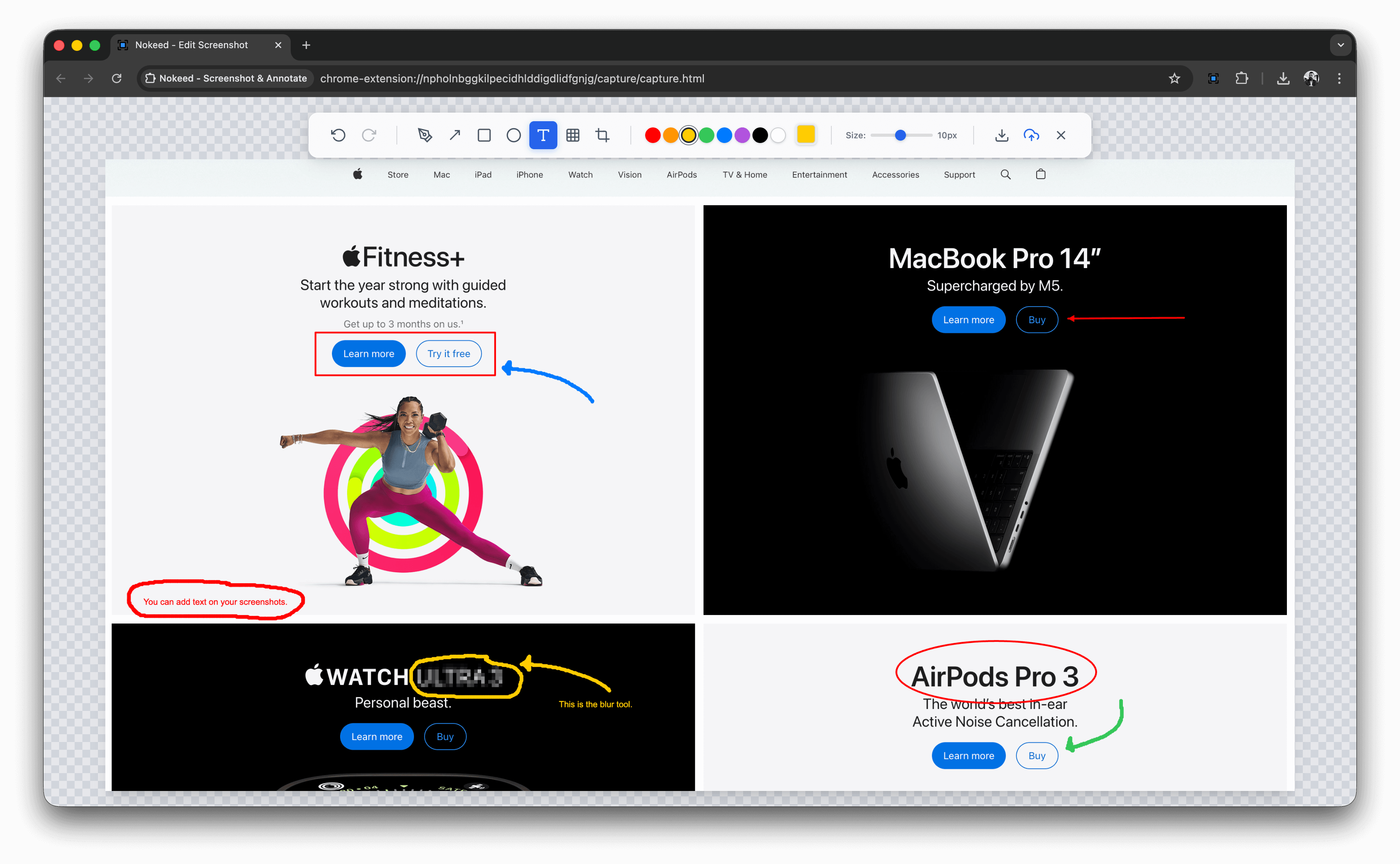
Add arrows, shapes, text, blur sensitive info. Everything you need to communicate clearly.

☁️

Upload to cloud

One click to upload. Your screenshot is instantly available online with a unique link.

πŸ”—

Share instant link

Link automatically copied to clipboard. Paste anywhere β€” email, chat, tickets, docs.

How it works

Three simple steps to capture and share.

1

Press the shortcut

Hit the keyboard shortcut or click the extension icon.

Command Shift K
2

Select your area

Click and drag to select exactly what you want to capture.

3

Edit & Share

Add annotations if needed, then save, copy, or upload with one click.

Dragos Boroianu

Why I built Nokeed

After 20 years in customer service, I’ve learned that sharing screenshots in emails, tickets, or live chat adds transparency and helps resolve issues faster. An image is worth more than 1,000 words β€” and in an era where AI can do so much, I felt this should exist and be offered for free. That’s why I built Nokeed to be free, easy to use, and completely ad-free.

Ready to capture better screenshots?

Join thousands of users who save time every day with Nokeed.

Get Nokeed for Chrome

Free β€’ No account required β€’ Works offline